Calm App Breathing: How To Use Breathe For Stress Relief Today
7 min read
Breathing is one of the simplest tools you have for managing stress and anxiety, and one of the most underused. The Calm app breathing feature puts guided breathwork right on your phone, making it easy to regulate your nervous system in minutes. Whether you’re winding down after a long day or working through post-experience tension, controlled breathing can shift your body from fight-or-flight mode into genuine rest.
At Afterglow Supplements, we focus on helping people recover well after psychedelic experiences, and breathwork is a cornerstone of that process. Our 4-step recovery protocol addresses the physical side with targeted nutrients, but tools like Calm’s Breathe feature handle something equally important: calming your mind when it’s still buzzing, racing, or stuck in a loop.
This guide walks you through exactly how to find, set up, and use the breathing exercises in the Calm app. You’ll learn which breathing patterns work best for stress relief, how to customize sessions to fit your needs, and practical tips for building a breathwork habit that actually sticks. If you’ve been curious about the feature but haven’t tried it yet, this is your starting point.
What Calm app breathing is and when to use it
The Calm app breathing feature is a dedicated breathwork tool inside the Calm app that guides you through paced breathing exercises using visual animations, optional audio cues, and haptic vibration feedback. Unlike the app’s meditation sessions, Breathe focuses entirely on controlling your inhale-exhale rhythm to directly influence your nervous system. You follow a visual cue that expands and contracts on screen, matching your breath to a set pace over a timed session.
What the Breathe feature actually does
Breathe works by giving your body a reliable rhythmic pattern to follow, which interrupts the stress loop running through your autonomic nervous system. When you slow your exhale relative to your inhale, you activate the parasympathetic nervous system, the branch responsible for rest and recovery. This is not a placebo effect. Research confirmed through institutions like the National Institutes of Health shows that paced breathing reduces cortisol levels and improves heart rate variability in measurable ways.
Controlled breathing is one of the fastest ways to shift your body out of a stress response without any equipment or medication.
When to use it
This tool fits naturally into several high-stress or transitional moments throughout your day. Here are the most effective times to reach for it:
After waking up from poor or restless sleep
Before or after a difficult conversation, meeting, or social event
During post-experience recovery, when your mind feels unsettled or anxious
At the end of a workday to create a clear mental boundary
Right before sleep to quiet racing thoughts
You don’t need a long session to feel results. Even three to five minutes of guided breathing produces a noticeable shift in how alert, calm, and grounded your body feels.
Step 1. Find the Breathe tool in Calm
Opening the Calm app for the first time can feel overwhelming because the home screen prioritizes sleep stories and guided meditations. The Breathe feature is not front and center, so knowing exactly where to look saves you frustration when you need it most.
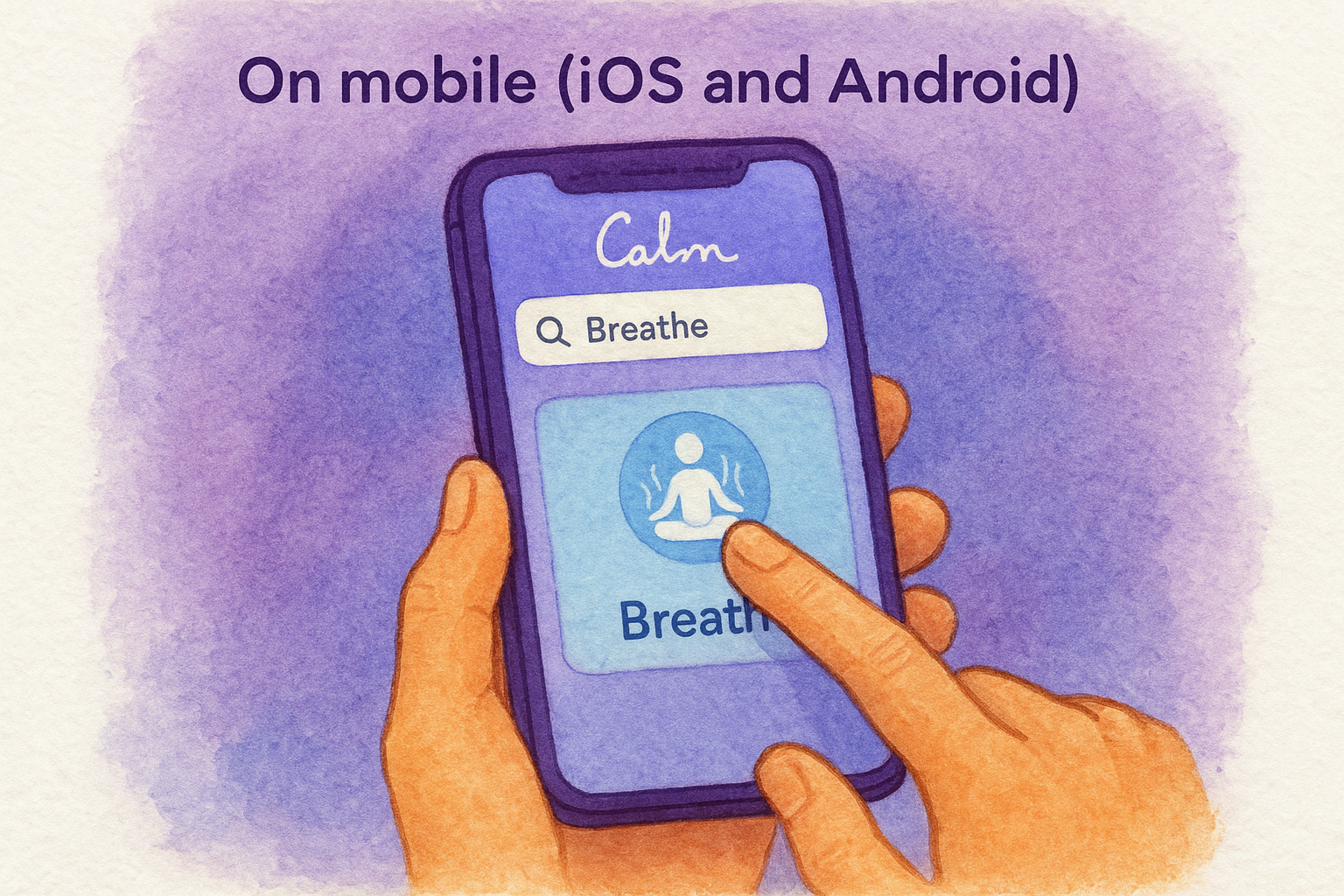
On mobile (iOS and Android)
Open the Calm app and tap the magnifying glass icon in the bottom navigation bar to access the search function. Type "Breathe" into the search field and select the result labeled "Breathe" under the Breathe category. You can also scroll the home screen and look for the "Breathe" tile in the Tools or Exercises section, though its position shifts depending on your app version and recent updates.
Bookmarking Breathe inside the app after you find it the first time saves you from hunting for it when you’re already stressed.
On desktop or web
If you use Calm on a desktop browser, visit calm.com and log into your account. Click the search icon at the top of the page and type "Breathe." Select the Breathe tool from the results. The desktop version offers the same core breathing experience as mobile, so use whichever device you have closest to you when the moment calls for it.
Step 2. Pick a breathing style and set a timer
Once you open the Breathe tool, the app asks you to select a breathing pattern before the session starts. This is where calm app breathing becomes genuinely useful: different patterns target different needs, so choosing the right one makes a real difference in how quickly you feel a shift.
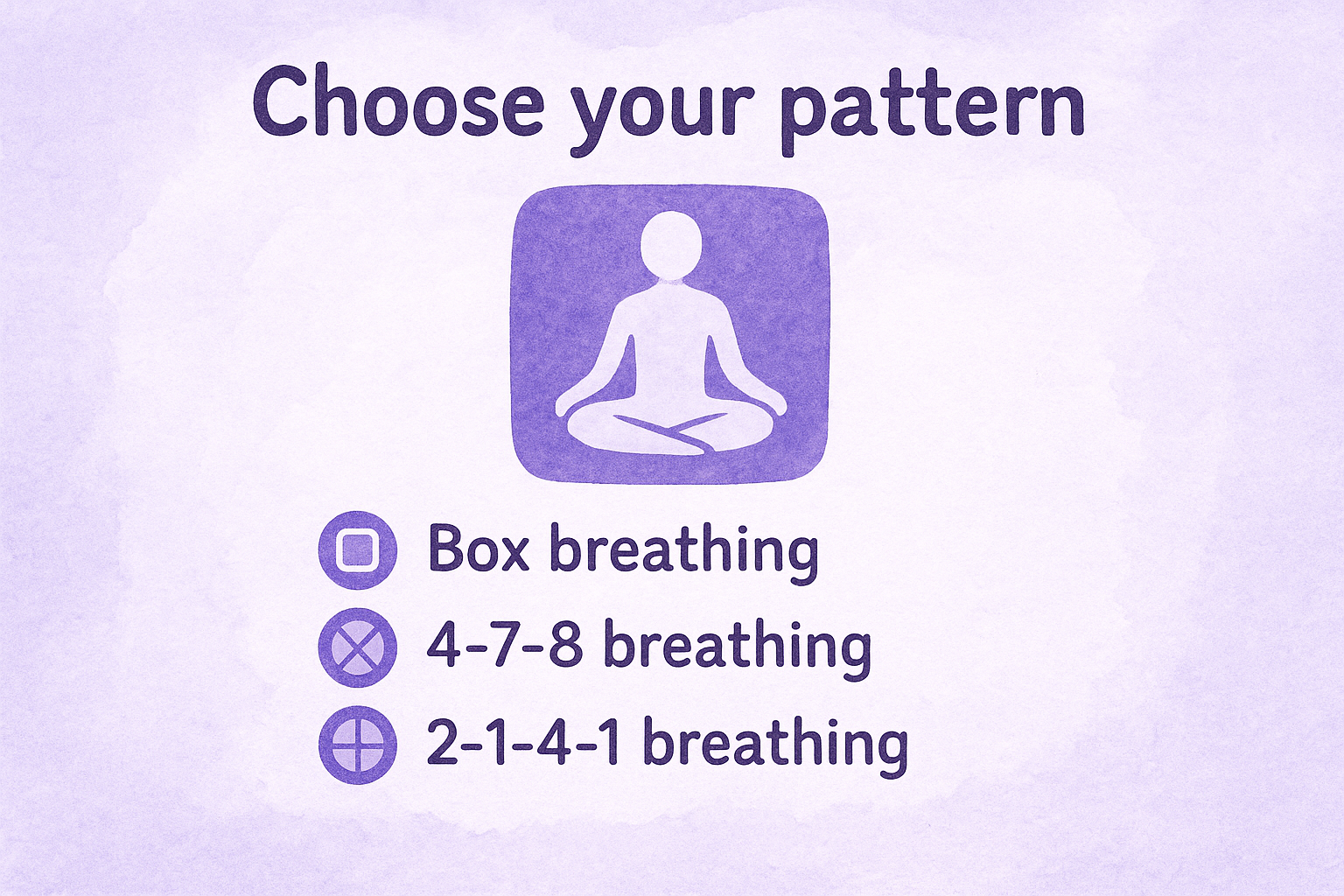
Choose your pattern
Calm offers several preset breathing techniques, each with a specific inhale-hold-exhale ratio. Pick the one that matches what you need right now:
Box breathing (4-4-4-4): Inhale 4, hold 4, exhale 4, hold 4. Best for anxiety and grounding.
4-7-8 breathing: Inhale 4, hold 7, exhale 8. Strong choice for sleep and deep recovery.
2-1-4-1 breathing: Shorter rhythm, well suited for quick stress relief mid-day.
The pattern you choose matters more than session length when you need fast results.
Set the session length
Tap the timer option to choose how long your session runs. Calm offers increments from one to ten minutes, so you are never locked into a fixed length that does not fit your schedule.
Your session length should match your current need. A three-minute session fits easily into a work break, while ten minutes works well before sleep or after an unsettled experience.
Step 3. Adjust pace, audio, and vibrations
After selecting your pattern and timer, calm app breathing gives you three additional controls to fine-tune: breathing pace, audio cues, and haptic vibrations. Configuring these before you press start makes the difference between a session you push through and one that genuinely resets your nervous system.
Set your breathing pace
The pace slider controls how quickly the visual animation expands and contracts on screen. Drag it toward a setting that feels slow but sustainable before beginning, since slower exhales trigger the parasympathetic nervous system more reliably than faster ones.
A pace that feels slightly challenging but manageable gives you the most noticeable calming effect.
Work toward lower pace settings as your comfort with the rhythm builds. If you feel like you are gasping or straining, move the slider one step faster rather than stopping the session entirely.
Toggle audio and vibrations
Calm gives you independent controls for ambient sound and haptic vibration. Use this checklist to configure both before starting:
Audio on: best when you need an auditory rhythm to stay focused
Audio off: better if silence helps you concentrate
Vibration on: useful with eyes closed, especially right before sleep
Vibration off: preferable if the physical pulse distracts you
Testing these combinations takes under thirty seconds and meaningfully changes how effective your session feels.
Step 4. Use Breathe for real-life stress moments
Knowing how to configure calm app breathing is only half the work. The real value comes from reaching for it at the right moment, before stress escalates into something harder to manage.
Build the habit of opening Breathe before your stress peaks, not after it already has.
Match the session to the moment
Different situations call for different breathing patterns and session lengths. Use this quick reference to pick the right combination for what you are actually facing:
Situation
Pattern
Length
Morning anxiety
Box breathing (4-4-4-4)
5 minutes
Mid-day tension spike
2-1-4-1
3 minutes
Post-experience recovery
4-7-8
10 minutes
Pre-sleep restlessness
4-7-8
5 to 10 minutes
Keep Breathe within reach
Place a shortcut or widget on your phone’s home screen so you can open Breathe in seconds rather than searching through menus when you are already tense. Your response time matters because the sooner you start paced breathing after a stress trigger, the easier it is to interrupt the cortisol spike before it compounds.
Pairing the app with a physical cue, like sitting down in a specific chair or putting on headphones, trains your brain to shift into recovery mode faster each time you repeat it.
A simple next step
You now have everything you need to start using calm app breathing as a practical tool for stress relief. The steps are straightforward: find the Breathe feature, pick a pattern that matches your situation, configure the pace and audio settings, and open the app before stress peaks rather than after. That sequence alone puts you ahead of most people who download Calm and never get past the home screen.
Breathwork handles the mental side of recovery well, but your body also needs physical support after intense experiences. Replenishing depleted nutrients, supporting neurotransmitter production, and relaxing your muscles are things breathing alone cannot do. If you want a complete recovery approach that covers both mind and body, take a look at the Afterglow Recovery Protocol and see how a structured supplement regimen pairs with the breathwork habit you are building right now.
Lukas Nelpela
writes on neuroscience, mental health, and mindful exploration. With a passion in research-driven wellness and years focused on set & setting, integration, and recovery, he turns complex ideas into clear, usable insight.
You’re staring at your screen, reading the same sentence for the fourth time, and nothing sticks. Your thoughts feel like they’re wading through wet cement. So what is brain fog, exactly? It’s not a medical diagnosis, it’s a catch-all term for that frustrating state of mental cloudiness where focus, memory,
Every process in your body, thinking, moving, recovering, runs on energy produced inside your cells. That energy comes from mitochondria, and when they’re not functioning well, you feel it: brain fog, fatigue, slow recovery, and a general sense of running on empty. Mitochondrial support refers to the nutrients, habits, and
You sit down to focus, stare at your screen, and nothing clicks. Thoughts scatter, simple decisions feel impossible, and your mind moves like it’s stuck in wet concrete. If you’ve been looking up how to get rid of brain fog, you already know the frustration, that heavy, hazy state where
Working nights, rotating schedules, or pulling irregular hours throws your body’s internal clock into a constant state of confusion. Around 20% of the global workforce does some form of shift work, and the majority of those people report poor sleep as their number one complaint. Good sleep hygiene for shift
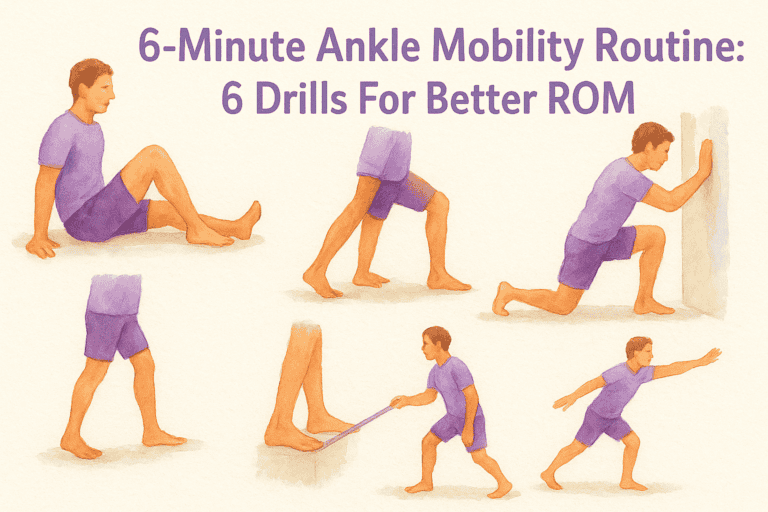
Stiff ankles affect more than just your squat depth. Limited ankle range of motion can mess with your knees, hips, and lower back, and if you spend long hours on your feet at festivals, retreats, or anywhere that keeps you moving, you’ll feel it. A solid ankle mobility routine takes
We use various cookies on our website. Some are essential for the website to function properly, while others we may only use with your consent. You can find more information about cookies on our website here.
This website uses cookies to improve your experience while you navigate through the website. Out of these cookies, the cookies that are categorized as necessary are stored on your browser as they are essential for the working of basic functionalities of the website. We also use third-party cookies that help us analyze and understand how you use this website. These cookies will be stored on your browser only with your consent. You also have the option to opt-out of these cookies. However, opting out of some of these cookies may have an impact on your browsing experience.
Necessary cookies are absolutely essential for the website to function properly. These cookies anonymously ensure basic functionalities and security features of the website.
Cookie
Duration
Description
cookielawinfo-checkbox-advertisement
1 year
Set by the GDPR Cookie Consent plugin, this cookie records the user consent for the cookies in the "Advertisement" category.
cookielawinfo-checkbox-analytics
11 months
This cookie is set by GDPR Cookie Consent plugin. The cookie is used to store the user consent for the cookies in the category "Analytics".
cookielawinfo-checkbox-functional
11 months
The cookie is set by GDPR cookie consent to record the user consent for the cookies in the category "Functional".
cookielawinfo-checkbox-necessary
11 months
This cookie is set by GDPR Cookie Consent plugin. The cookies is used to store the user consent for the cookies in the category "Necessary".
cookielawinfo-checkbox-others
11 months
This cookie is set by GDPR Cookie Consent plugin. The cookie is used to store the user consent for the cookies in the category "Other.
cookielawinfo-checkbox-performance
11 months
This cookie is set by GDPR Cookie Consent plugin. The cookie is used to store the user consent for the cookies in the category "Performance".
CookieLawInfoConsent
1 year
CookieYes sets this cookie to record the default button state of the corresponding category and the status of CCPA. It works only in coordination with the primary cookie.
elementor
never
The website's WordPress theme uses this cookie. It allows the website owner to implement or change the website's content in real-time.
fb_event_id_atc
30 minutes
Used to match client and server events for Meta Conversion API deduplication. Contains only anonymous technical IDs; no personal data stored.
fb_event_id_ic
30 minutes
Used to match client and server events for Meta Conversion API deduplication. Contains only anonymous technical IDs; no personal data stored.
fb_event_id_pur
30 minutes
Used to match client and server events for Meta Conversion API deduplication. Contains only anonymous technical IDs; no personal data stored.
fb_event_id_vc
30 minutes
Used to match client and server events for Meta Conversion API deduplication. Contains only anonymous technical IDs; no personal data stored.
rc::a
never
This cookie is set by the Google recaptcha service to identify bots to protect the website against malicious spam attacks.
rc::c
session
This cookie is set by the Google recaptcha service to identify bots to protect the website against malicious spam attacks.
viewed_cookie_policy
11 months
The cookie is set by the GDPR Cookie Consent plugin and is used to store whether or not user has consented to the use of cookies. It does not store any personal data.
VISITOR_PRIVACY_METADATA
6 months
YouTube sets this cookie to store the user's cookie consent state for the current domain.
wpEmojiSettingsSupports
session
WordPress sets this cookie when a user interacts with emojis on a WordPress site. It helps determine if the user's browser can display emojis properly.
Functional cookies help to perform certain functions, such as sharing website content on social media platforms, collecting feedback, and other third-party functions.
Cookie
Duration
Description
sib_cuid
6 months
SendinBlue sets this cookie to store unique visits.
VISITOR_INFO1_LIVE
6 months
A cookie set by YouTube to measure bandwidth that determines whether the user gets the new or old player interface.
yt-remote-cast-available
session
The yt-remote-cast-available cookie is used to store the user's preferences regarding whether casting is available on their YouTube video player.
yt-remote-cast-installed
session
The yt-remote-cast-installed cookie is used to store the user's video player preferences using embedded YouTube video.
yt-remote-connected-devices
never
YouTube sets this cookie to store the user's video preferences using embedded YouTube videos.
yt-remote-device-id
never
YouTube sets this cookie to store the user's video preferences using embedded YouTube videos.
yt-remote-fast-check-period
session
The yt-remote-fast-check-period cookie is used by YouTube to store the user's video player preferences for embedded YouTube videos.
yt-remote-session-app
session
The yt-remote-session-app cookie is used by YouTube to store user preferences and information about the interface of the embedded YouTube video player.
yt-remote-session-name
session
The yt-remote-session-name cookie is used by YouTube to store the user's video player preferences using embedded YouTube video.
ytidb::LAST_RESULT_ENTRY_KEY
never
The cookie ytidb::LAST_RESULT_ENTRY_KEY is used by YouTube to store the last search result entry that was clicked by the user. This information is used to improve the user experience by providing more relevant search results in the future.
Performance cookies are used to understand and analyze key website performance indexes, which helps in providing a better user experience for visitors.
Cookie
Duration
Description
SRM_B
1 year 24 days
Used by Microsoft Advertising as a unique ID for visitors.
Analytical cookies are used to understand how visitors interact with the website. These cookies help provide information on metrics such as the number of visitors, bounce rate, traffic source, etc.
Cookie
Duration
Description
_clck
1 year
Microsoft Clarity sets this cookie to retain the browser's Clarity User ID and settings exclusive to that website. This guarantees that actions taken during subsequent visits to the same website will be linked to the same user ID.
_clsk
1 day
Microsoft Clarity sets this cookie to store and consolidate a user's pageviews into a single session recording.
_fbp
3 months
Facebook sets this cookie to display advertisements when either on Facebook or on a digital platform powered by Facebook advertising after visiting the website.
_ga
1 year 1 month 4 days
Google Analytics sets this cookie to calculate visitor, session and campaign data and track site usage for the site's analytics report. The cookie stores information anonymously and assigns a randomly generated number to recognise unique visitors.
_ga_*
1 year 1 month 4 days
Google Analytics sets this cookie to store and count page views.
_gcl_au
3 months
Google Tag Manager sets the cookie to experiment advertisement efficiency of websites using their services.
_hjSession_*
1 hour
Hotjar sets this cookie to ensure data from subsequent visits to the same site is attributed to the same user ID, which persists in the Hotjar User ID, which is unique to that site.
_hjSessionUser_*
1 year
Hotjar sets this cookie to ensure data from subsequent visits to the same site is attributed to the same user ID, which persists in the Hotjar User ID, which is unique to that site.
_hjTLDTest
session
To determine the most generic cookie path that has to be used instead of the page hostname, Hotjar sets the _hjTLDTest cookie to store different URL substring alternatives until it fails.
CLID
1 year
Microsoft Clarity set this cookie to store information about how visitors interact with the website. The cookie helps to provide an analysis report. The data collection includes the number of visitors, where they visit the website, and the pages visited.
MR
7 days
This cookie, set by Bing, is used to collect user information for analytics purposes.
sbjs_current
session
Sourcebuster sets this cookie to identify the source of a visit and stores user action information in cookies. This analytical and behavioural cookie is used to enhance the visitor experience on the website.
sbjs_current_add
session
Sourcebuster sets this cookie to identify the source of a visit and stores user action information in cookies. This analytical and behavioural cookie is used to enhance the visitor experience on the website.
sbjs_first
session
Sourcebuster sets this cookie to identify the source of a visit and stores user action information in cookies. This analytical and behavioural cookie is used to enhance the visitor experience on the website.
sbjs_first_add
session
Sourcebuster sets this cookie to identify the source of a visit and stores user action information in cookies. This analytical and behavioural cookie is used to enhance the visitor experience on the website.
sbjs_migrations
session
Sourcebuster sets this cookie to identify the source of a visit and stores user action information in cookies. This analytical and behavioural cookie is used to enhance the visitor experience on the website.
sbjs_session
1 hour
Sourcebuster sets this cookie to identify the source of a visit and stores user action information in cookies. This analytical and behavioural cookie is used to enhance the visitor experience on the website.
sbjs_udata
session
Sourcebuster sets this cookie to identify the source of a visit and stores user action information in cookies. This analytical and behavioural cookie is used to enhance the visitor experience on the website.
SM
session
Microsoft Clarity cookie set this cookie for synchronizing the MUID across Microsoft domains.
YSC
session
YSC cookie is set by Youtube and is used to track the views of embedded videos on Youtube pages.
Advertising cookies are used to deliver relevant advertisements and marketing campaigns to visitors. These cookies track visitors across websites and collect information to deliver tailored advertisements.
Cookie
Duration
Description
_rdt_uuid
3 months
Reddit sets this cookie to build a profile of your interests and show you relevant ads.
ANONCHK
10 minutes
The ANONCHK cookie, set by Bing, is used to store a user's session ID and verify ads' clicks on the Bing search engine. The cookie helps in reporting and personalization as well.
MUID
1 year 24 days
Bing sets this cookie to recognise unique web browsers visiting Microsoft sites. This cookie is used for advertising, site analytics, and other operations.
test_cookie
15 minutes
doubleclick.net sets this cookie to determine if the user's browser supports cookies.
yt.innertube::nextId
never
YouTube sets this cookie to register a unique ID to store data on what videos from YouTube the user has seen.
yt.innertube::requests
never
YouTube sets this cookie to register a unique ID to store data on what videos from YouTube the user has seen.